MailRoom — An AI Email Agent That Never Sends
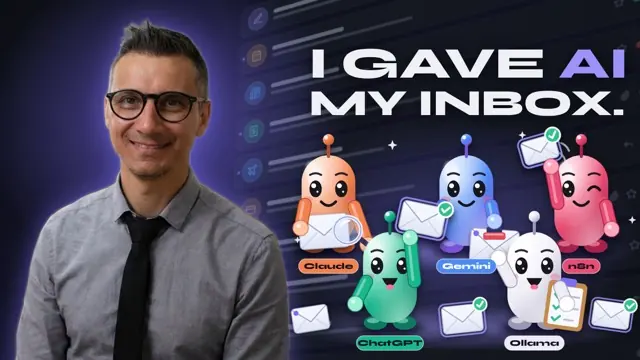
A local Mac app that reads my Gmail, drafts the replies, proposes meeting times from my real calendars and writes a priority-ranked recap. The same job runs on five engines: Claude, ChatGPT, Gemini, a local Ollama model and n8n. Nothing is ever sent: every reply waits in Gmail Drafts for me.
At a glance
MailRoom is the second version of my Gmail Assistant. The first one lived in n8n; this one is a Mac app with one window and one button per engine. The design rule is a split of responsibilities: the AI only reads and writes text, the app does every Gmail, Calendar and Docs call, plain code decides which time slots are free, and I decide what goes out.
Watch the walkthrough
A full tour of the app, tab by tab, with a live run on the local Ollama engine.
The problem
An AI that answers your email is easy to build and hard to trust. The useful part, reading the mail and preparing the answer, comes bundled with the dangerous part: a model that can send messages, change your calendar and invent meeting times you never had free.
- Models are good at writing and sorting text, and unreliable at arithmetic on calendars. A model asked for free slots will sometimes return slots that are not free.
- Email text is untrusted input. Any message in the inbox can try to give instructions to the model reading it.
- Locking the work to one provider means one pricing model, one privacy policy and one point of failure.
How it works
Every run does the same three steps, in the same order, whichever engine is selected.
- Drafting. MailRoom first checks the drafts it prepared before: still waiting, sent, or deleted. Then it reads the new emails and decides what each one needs: a reply draft, a proposal of meeting times, or no reply. Newsletters and automatic messages are skipped.
- Events. It looks for webinars, courses and conferences. If one has a real date, it checks my calendars and writes a note: free, or conflict.
- Recap. A one-sentence summary of every email with a priority from one to five, shown in the app and saved as a Google Doc.
All five engines share one list of handled emails, so a second run on another engine skips what the first already did. Each run reports its model calls and the tokens in and out.
Five engines, one job
- Claude, ChatGPT and Gemini run through their command-line tools (Claude Code, Codex and Gemini CLI), so they use subscriptions I already pay for.
- Ollama runs an open-source model on the Mac (Qwen 3, 32B parameters). It costs nothing, and the email text never leaves the computer.
- n8n is the first version, built before the app. It runs on a server and calls Claude through the API, so it is the only engine that bills per use.
Scheduling without trusting the model
The AI never sees my calendar. Plain code reads it, applies the rules I set in Settings and picks the free times: which calendars count as busy and, for each kind of contact, which hours can be offered and where the meeting is booked.
- A reply draft only offers time that is free in every selected calendar.
- The three proposed times are held for seven days, so nobody else is offered the same slot.
- For an event that overlaps a meeting, the note offers two choices: keep my schedule, or swap to the event and draft messages asking to move the meetings it overlaps.
Safety model
- MailRoom never sends mail. It only creates drafts, and notes have no recipient.
- Calendar changes happen only after I open a decision link and press Confirm.
- The command-line engines run in an empty temporary folder with tools and MCP servers switched off; the email goes in on stdin and is treated as untrusted data.
- Secrets live in the macOS Keychain. The local server listens on 127.0.0.1 only.
Scope, honestly: MailRoom is built for my own inbox. It is macOS only for now, computes times in the Europe/Rome time zone, and needs your own Google OAuth client to run.